Top 5 Cybersecurity Threats Facing Omaha Businesses in 2026
The 5 biggest cybersecurity threats targeting Omaha small and midsize businesses in 2026 — and the practical defenses that actually stop them.
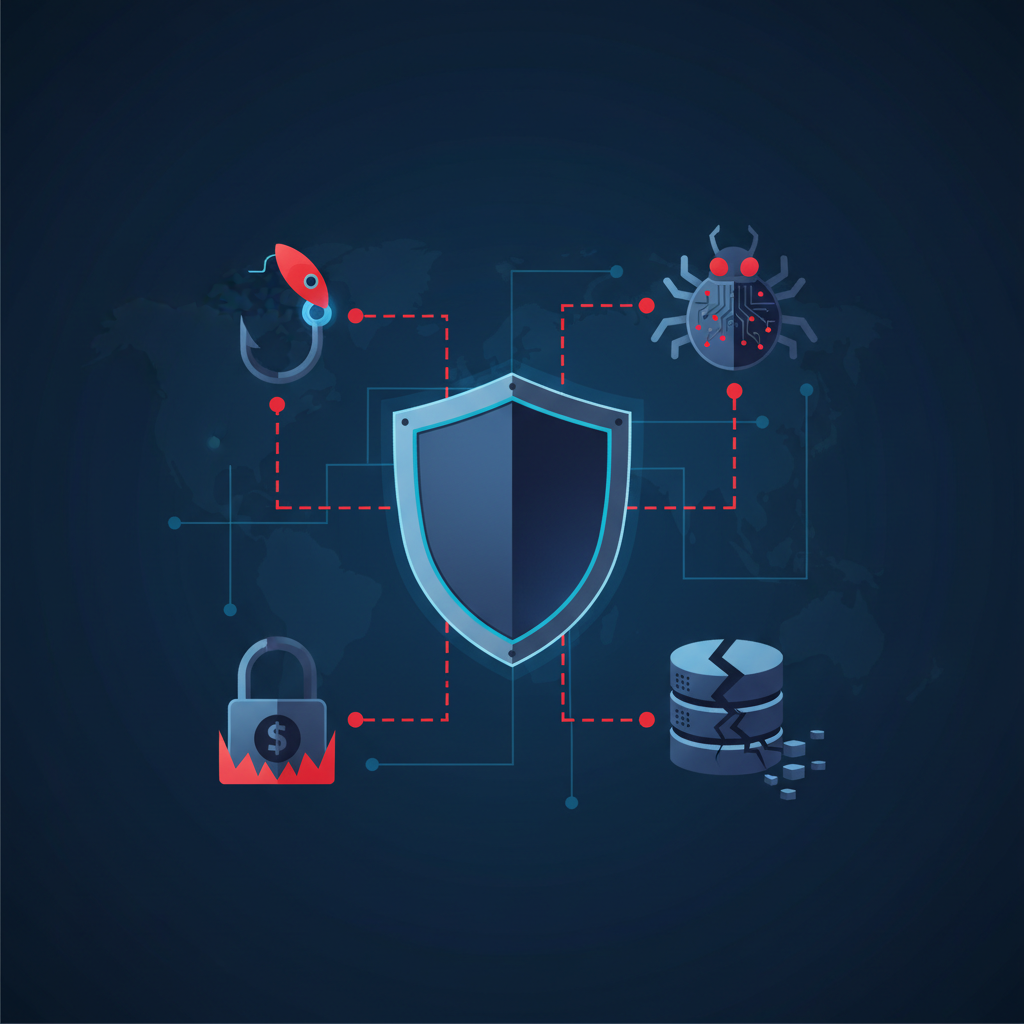
Why Omaha Businesses Are Targets in 2026
Cyberattacks aren't just a problem for Fortune 500 companies. Small businesses are a large share of reported cyberattack victims — and recovery costs across ransom, downtime and rebuilding routinely reach six figures. The FBI's Internet Crime Complaint Center publishes the annual national figures. Many never reopen.
The reason is simple: attackers know small businesses have weaker defenses than enterprises but often have similar bank balances, customer data, and ransomware-payment willingness. Below are the 5 threats Omaha businesses face most often in 2026 — and exactly how to defend against each one.
1. Phishing & Business Email Compromise (BEC)
What it is: Attackers send convincing emails impersonating vendors, executives, or banks — tricking employees into wiring money, sharing passwords, or opening malware.
Why it's #1: Phishing is the entry point behind a large share of successful attacks — the Verizon Data Breach Investigations Report tracks the current figure each year. Modern attacks use AI-generated text, real logos, and spoofed domains that look identical to legitimate sources.
How to defend:
- Multi-factor authentication (MFA) on every email account — stops the large majority of credential-based attacks, because a stolen password alone is no longer enough
- Email security filtering (Microsoft Defender or third-party gateway)
- Security awareness training with simulated phishing
- A documented "verify wire transfers by phone" policy
Learn more about cybersecurity services for Omaha businesses.
2. Ransomware
What it is: Malware that encrypts your files and demands payment (usually in cryptocurrency) to unlock them. Modern ransomware also steals data and threatens to leak it — "double extortion."
The Omaha reality: We've seen Omaha medical practices, law firms, and construction companies hit with ransomware in the last 18 months. Ransom demands vary widely, and downtime is usually measured in days to weeks rather than hours.
How to defend:
- Endpoint Detection & Response (EDR) — catches ransomware behaviorally before encryption spreads
- Immutable, ransomware-resistant offsite backup (so you can recover without paying)
- Patch management — close vulnerabilities before they're exploited
- Network segmentation to limit blast radius
- Tested incident response plan
3. Credential Theft & Account Takeover
What it is: Attackers buy stolen passwords from data breaches (or steal them via phishing) and use them to access email, cloud apps, and financial systems.
Why it works: Stolen and reused credentials are behind a large share of breaches — the Verizon Data Breach Investigations Report publishes this figure annually. Password reuse across personal and business accounts is common — so a breach at LinkedIn or Adobe can hand attackers a working work password too.
How to defend:
- MFA on email, VPN, cloud apps, and financial systems — non-negotiable
- Business password manager (1Password, Bitwarden, Keeper)
- Dark web monitoring to alert when company credentials appear in breaches
- Conditional access policies (block logins from unusual locations)
4. Insider Threats & Mistakes
What it is: Not all threats are external. Departing employees take customer lists. Current employees accidentally email sensitive files to the wrong recipient. Contractors retain access after a project ends.
Why it matters in 2026: Remote and hybrid work has dramatically expanded who has access to what — and an offboarding checklist is one of the first things small businesses skip.
How to defend:
- Documented offboarding checklist (revoke all access on the last day, every time)
- Principle of least privilege — employees only get access to what they actually need
- Data Loss Prevention (DLP) policies in Microsoft 365
- Audit logs and quarterly access reviews
5. Supply Chain & Vendor Attacks
What it is: Attackers compromise a software vendor or IT provider, then use that access to attack their customers. The 2021 Kaseya attack hit thousands of small businesses through their MSPs.
Why Omaha businesses are exposed: Even a small office typically depends on dozens of SaaS tools, cloud platforms, and IT vendors — each one a potential entry point.
How to defend:
- Inventory every vendor with access to your systems
- Require MFA and SSO on every vendor login
- Choose IT providers with documented security practices (SOC 2, regular pen tests, MFA on their tools)
- Monitor for anomalous vendor access in audit logs
The Foundation Every Omaha Business Needs
Across all 5 threats, the same handful of controls do most of the heavy lifting:
- MFA everywhere — single biggest impact for the cost
- EDR endpoint protection — not just antivirus
- Email filtering — stop phishing at the gateway
- Encrypted, monitored backups — your get-out-of-ransomware card
- Security awareness training — humans are the last line of defense
This is the same Essentials tier we describe in our Cybersecurity Cost Guide. At DME the Basic plan is $49 per billable unit per month and the Full plan is $110.
How DME Helps Omaha Businesses Defend Against These Threats
Every DME Managed IT plan includes layered cybersecurity by default — not as a paid add-on. Both plans include EDR on every device, ransomware protection, patch management, 24/7 monitoring, and backup monitoring; the Full plan adds email security and Managed ITDR, while MFA setup and security awareness training are scoped and quoted separately.
Want to know where you stand right now? Take our free Cybersecurity Risk Scanner for a personalized assessment, or schedule a free consultation.
Quick Answers
What is the #1 cybersecurity threat to Omaha businesses?
Phishing and business email compromise. Phishing is the entry point behind a large share of successful breaches. MFA stops the large majority of these attacks, because a stolen password by itself no longer gets an attacker in.
How much does it cost to defend against these threats?
At DME, the Basic plan is $49 per billable unit per month and covers EDR, ransomware protection, patch management, 24/7 device monitoring, and backup monitoring — a billable unit is your users or your computers, whichever number is higher. The Full plan is $110 per billable unit per month and adds help desk with no hourly billing, email security, Microsoft 365 administration, and network management; MFA setup, security awareness training, and cloud backup storage are quoted separately.
Do I need cyber insurance?
That's a question for your insurance agent — but be aware that carrier applications now routinely ask you to document MFA, EDR, backup, and security training. Defense + insurance is the right combination.
Can a small Omaha business really get hit by ransomware?
Yes. Local Omaha medical practices, law firms, and contractors have all been hit in the last 18 months. Small businesses are squarely in scope for these groups — not too small to be worth an attacker's time.
Related Resources
Related IT Services for Omaha Businesses
IT Support Omaha
Fast local help desk & onsite support
Managed IT Services Omaha
Local MSP, monitoring, help desk & security
Cybersecurity Omaha
Ransomware defense, MFA, email security
AI Support Omaha
Secure setup, training & ongoing implementation
Search Engine Optimization Omaha
SEO, AEO & GEO for Google and AI visibility